Reduce File Size
Compress to a target size — 500 KB, 1 MB, 2 MB, or a custom limit. Quality may drop to meet the size you set.
 ImageSetta
Choose language
iOS image utilities
ImageSetta is a focused set of image tools for iPhone and iPad. Each job is one screen: import, adjust, export. No ads. No subscription. No account required. Image processing happens on your device.
The App Store button will be linked when the listing is live. No placeholder store URL.
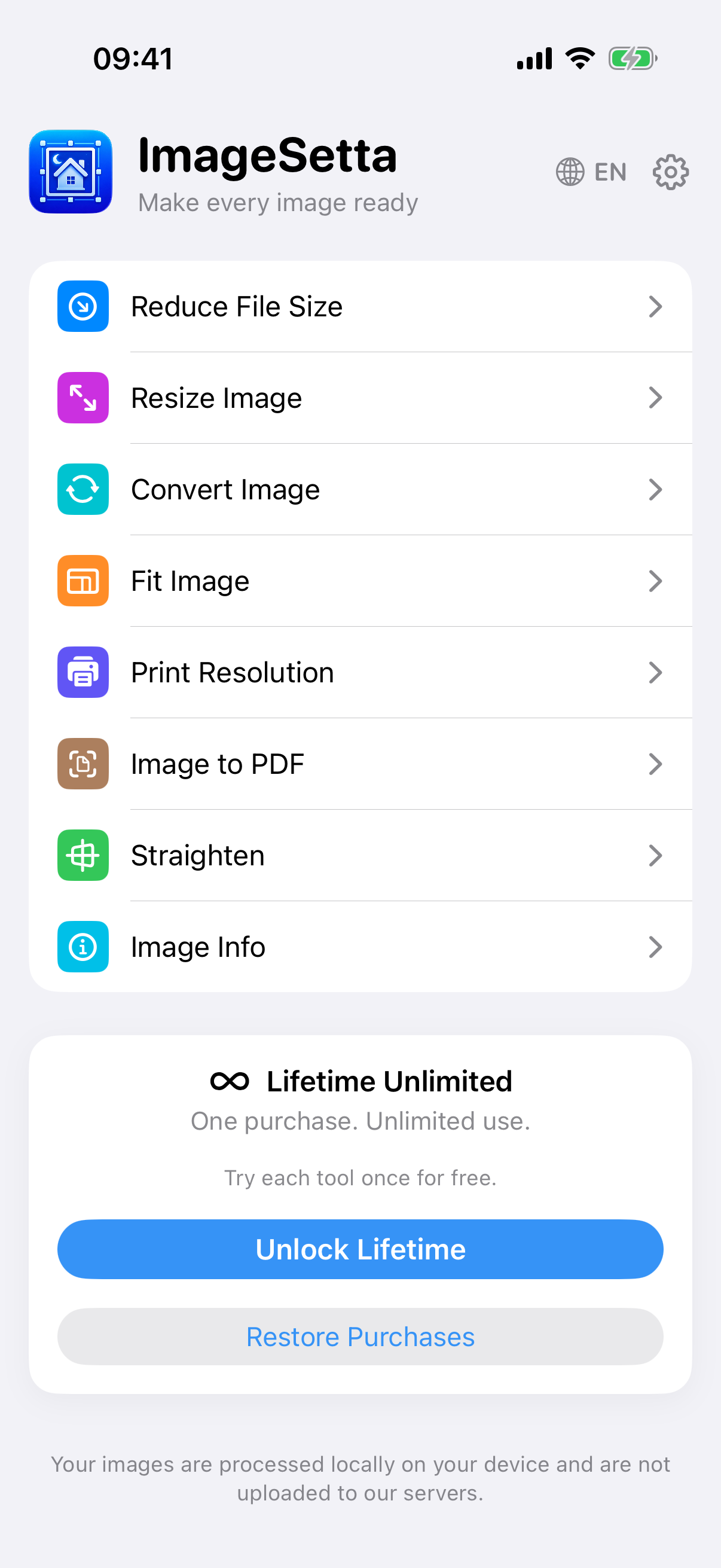
Eight utilities on one home screen. Names, icons, and colours match the app.
Compress to a target size — 500 KB, 1 MB, 2 MB, or a custom limit. Quality may drop to meet the size you set.
Set width and height in pixels. Keep proportions on, or unlock them when you need an exact frame.
Change format on device. Conversion is performed locally on your device.
Place an image on a canvas you define. Fit, expand with a solid fill, or expand from the edge.
Read the current DPI when it is present, then set a target print resolution before you export.
Make a one-page PDF. Page size can match the image, or use A4 or US Letter.
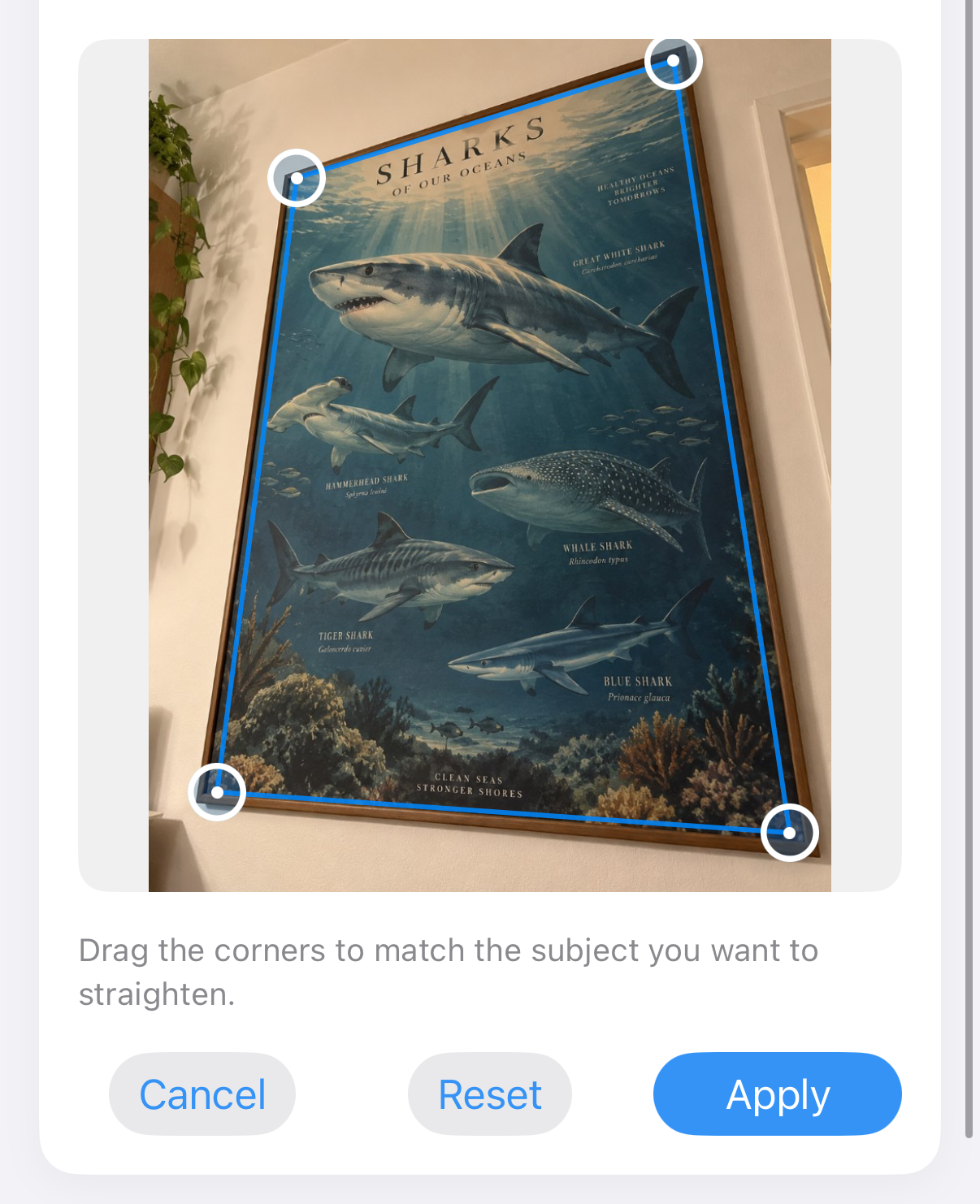
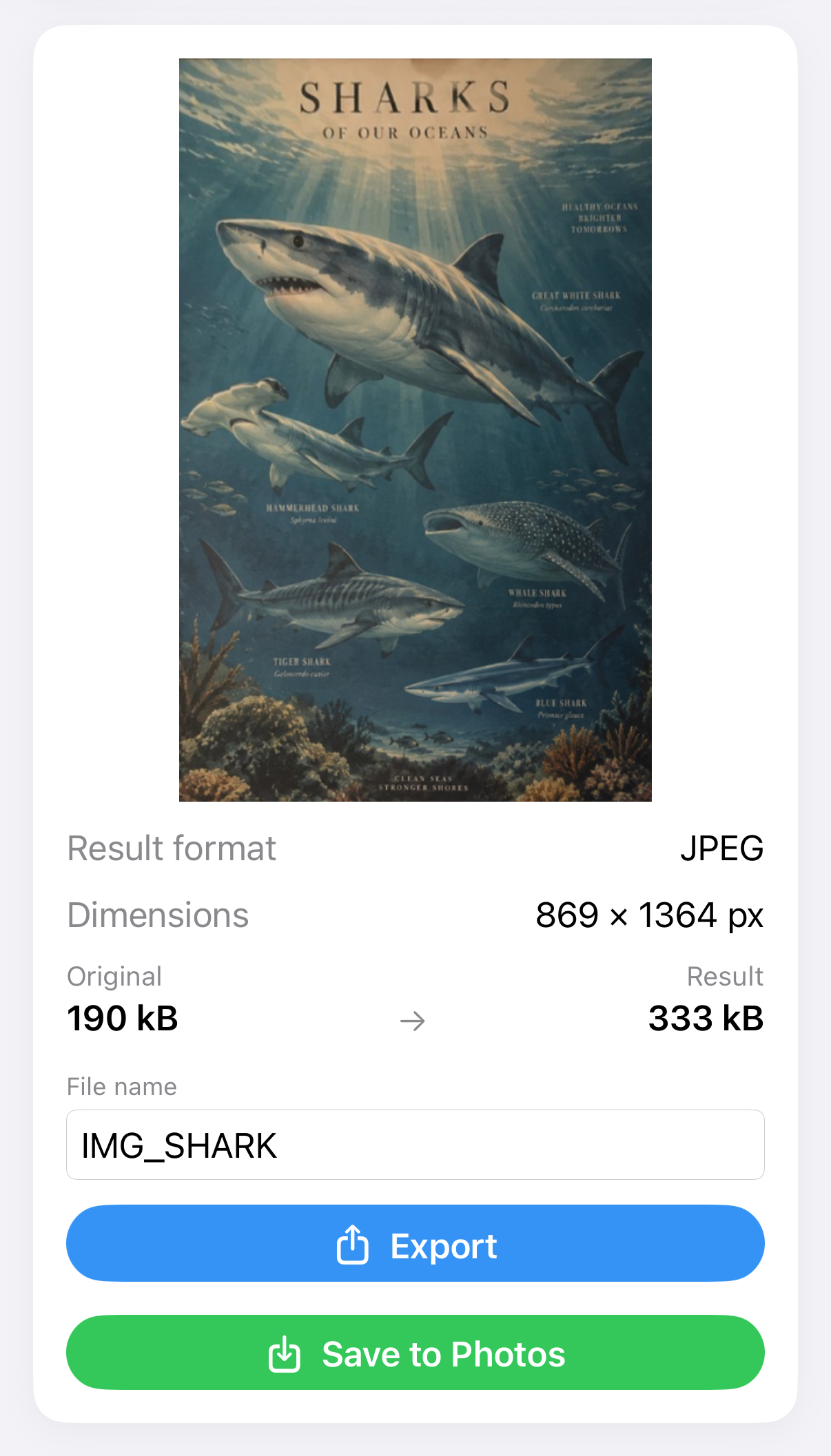
Drag the corners to match the subject you want to straighten, then apply.
Dimensions, megapixels, aspect ratio, format, and file size — read from the file on device.
Fix perspective when a document, poster, artwork or photo was captured at an angle.
When an upload or print needs a fixed canvas, Fit Image keeps the whole photograph and fills the leftover area. White and black backgrounds are the options the app actually provides. This demo uses black so the extra canvas is easy to see.
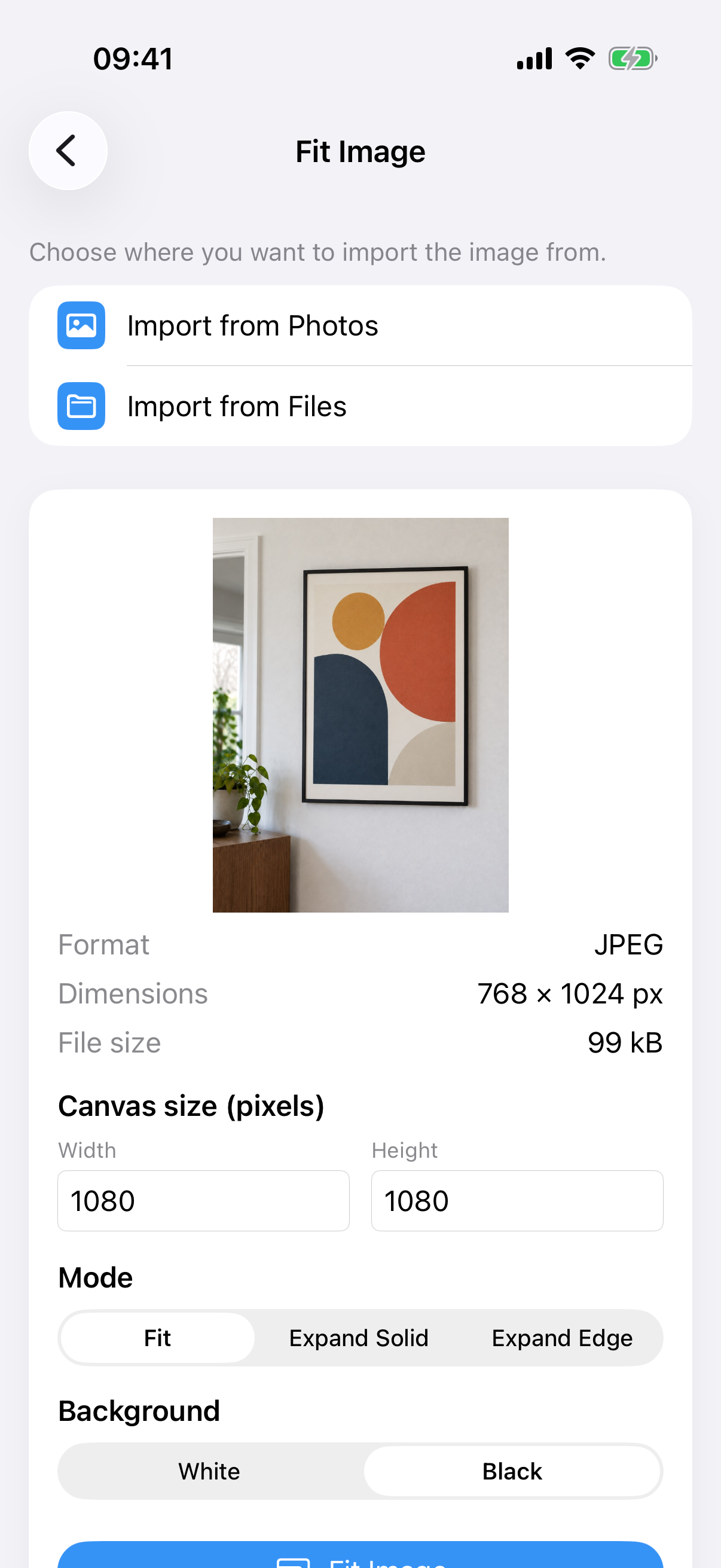
Set width and height, pick Fit, and choose a white or black background. There is no transparent option in the current app. The screenshots use black.
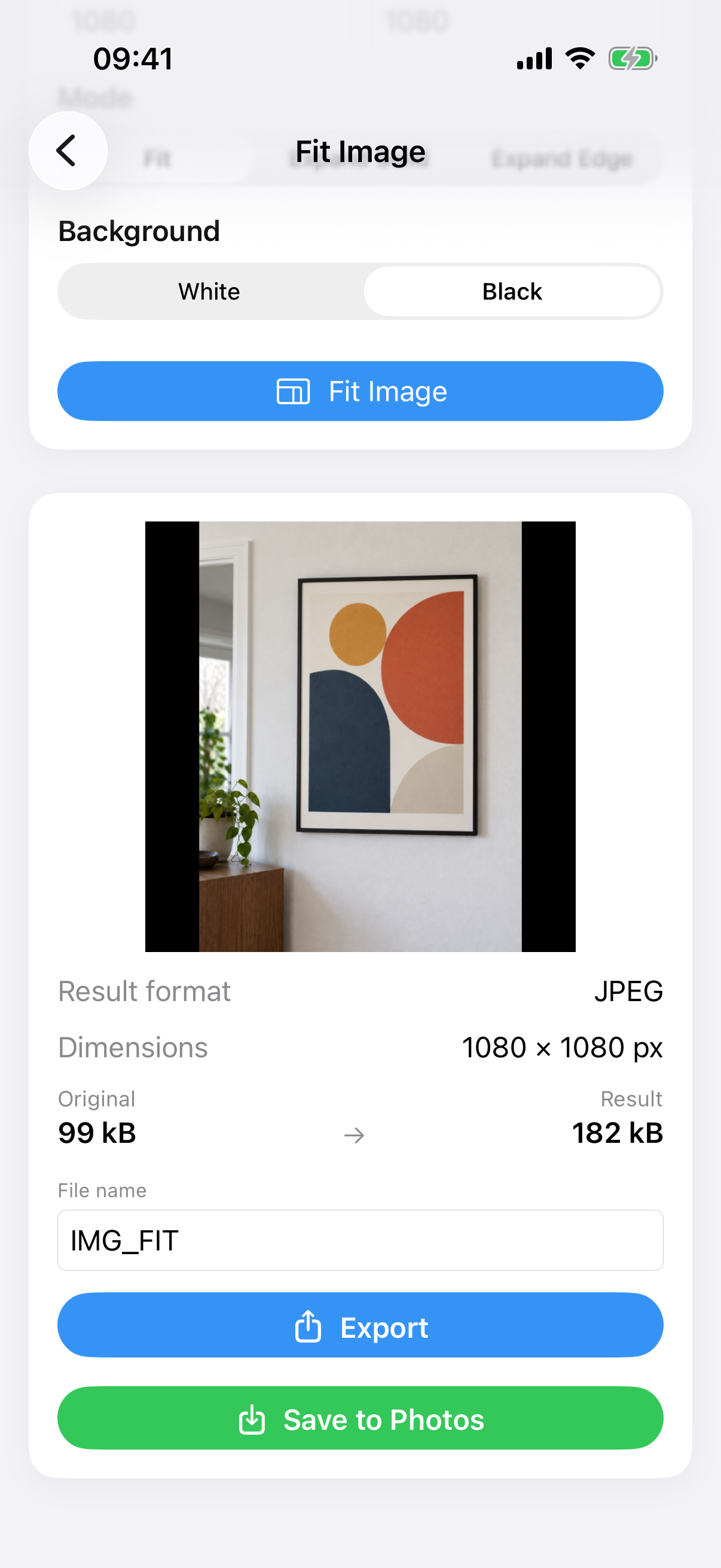
The painting photo stays complete. Extra space is filled instead of cutting off the plant, frame, or wall.
Image processing stays on the device. A small trial backend exists only for free-use limits and purchase checks — not for your pictures.
Images, file bytes, and photo metadata (EXIF) are processed locally. They are not uploaded, transferred, or stored on ImageSetta servers. Temporary files created during processing are removed after use.
To keep one free use per tool fair across reinstalls, ImageSetta sends limited Apple-signed app and purchase data to a Cloudflare-hosted verification service. No image is included in those requests.
The app does not show advertising and does not include advertising SDKs.
There is no analytics SDK, no advertising identifier tracking, and this website does not set analytics cookies or load third-party trackers.
Try each tool once with your own image before deciding whether to buy.
Lifetime Unlimited is a one-time in-app purchase. No subscription and no recurring billing.
Unlock all tools without the free-use limit. Restore eligible purchases through Apple.
The current price is shown in the App Store and may vary by region.
ImageSetta is available in 45 languages. In the app you can follow the device language, or choose one yourself.
English, Español, Français, Deutsch, Italiano, Português, Português (Brasil), 日本語, 한국어, 简体中文, 繁體中文, Nederlands, Русский, العربية, Türkçe, Polski, Svenska, Norsk, Dansk, Suomi, Čeština, हिन्दी, Magyar, Română, Українська, বাংলা, Català, Hrvatski, Ελληνικά, ગુજરાતી, עברית, Bahasa Indonesia, ಕನ್ನಡ, Bahasa Melayu, മലയാളം, मराठी, ଓଡ଼ିଆ, ਪੰਜਾਬੀ, Slovenčina, Slovenščina, தமிழ், తెలుగు, ไทย, اردو, Tiếng Việt.
ImageSetta works with supported iOS accessibility features. Availability may vary depending on your device and iOS version.